How It Works
1. Setup
Connect Shopify, connect Google Ads, and let the dashboard sync. No developer, no tracking script to install.
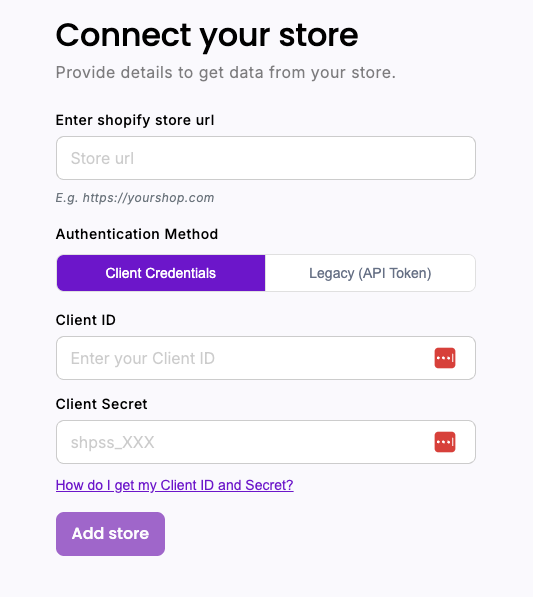
Connect your Shopify store
One click through Shopify's official flow. Pythago reads your orders, products and costs — nothing else.
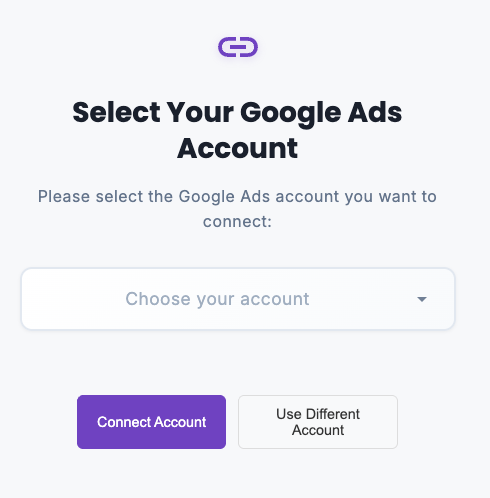
Connect Google Ads
Sign in with Google's official OAuth flow. We never see your password, and no campaign changes happen without your approval.
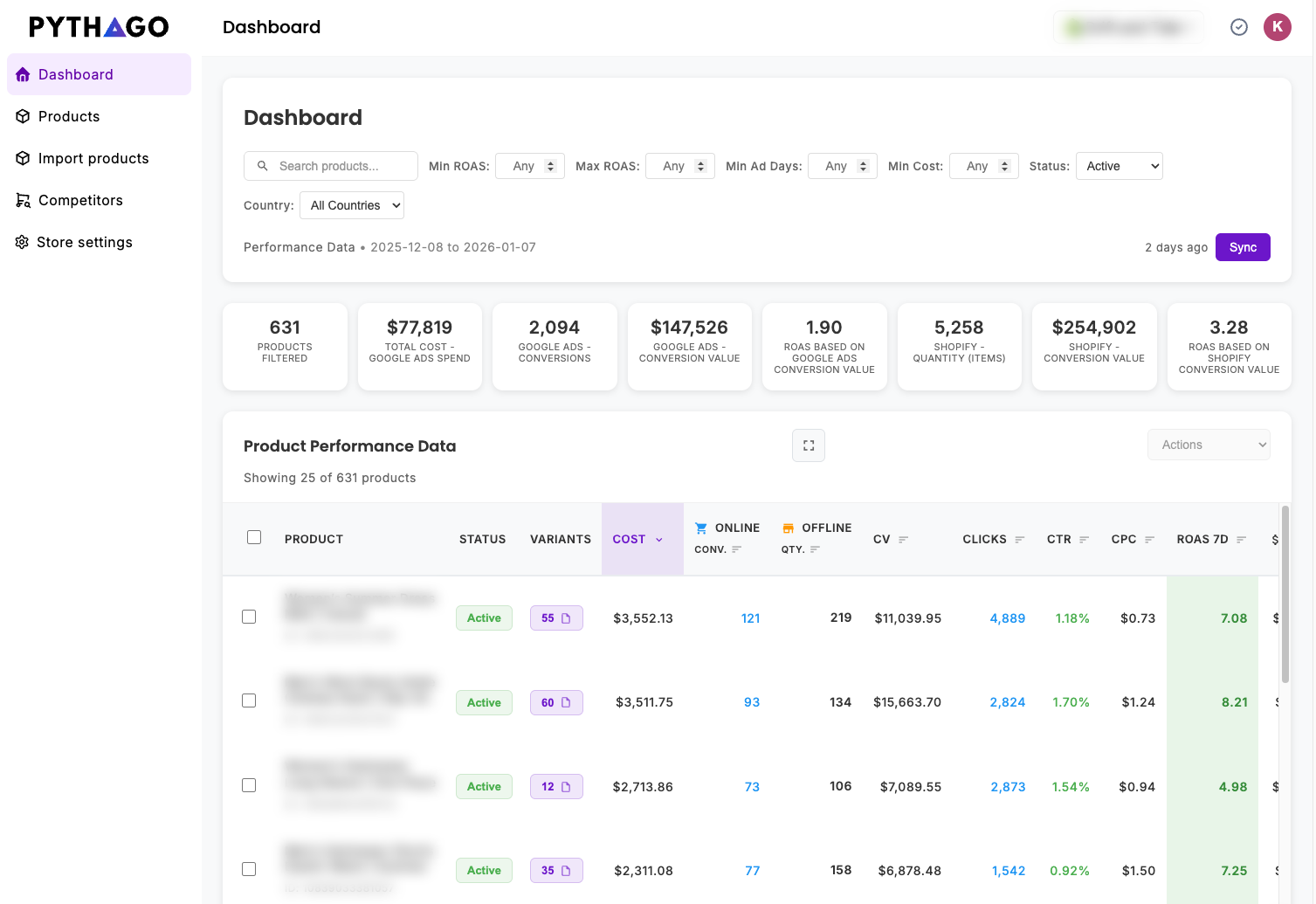
Dashboard sync
Your first sync takes 5–10 minutes depending on how many products you have. After that, revenue, ad spend, COGS and fees sit in one view.
2. Daily / weekly routine
Ten minutes of decisions instead of an afternoon in spreadsheets.
Find bad performing products
Spot the products burning budget below break-even. Then act in one click: set them to draft or archive them in Shopify, exclude them for a specific market, or exclude them inside the campaign.
Find best performing products
Share the winners with your media buyer so extra budget goes where it actually returns, or raise the price to improve margin on products that already convert.
Monitor over 30, 14 and 7 days
Follow performance across three windows side by side to see whether a new product is lifting off or fading — before you scale it or cut it.
Ready to optimize your product ads?
Connect your store and see profit per product in minutes.
Start Optimizing